I’m writing this post in response to a comment we received on an earlier post. I’ve waited a couple of weeks to respond specifically to the comment because I wanted to get a better feel for how our communication techniques were working. We’ve now been onboard for five weeks and we’re in the South Pacific somewhere between Tahiti and New Zealand, so I think we have a pretty good feel for what is working and what’s not. I’m going to tell you how Kully and I are communicating with home and then discuss methods that others on board are using. I’m not going to try to present an exhaustive list of all that’s available. We recommend that you do you own research and determine what methods, devices and software will work best for you.
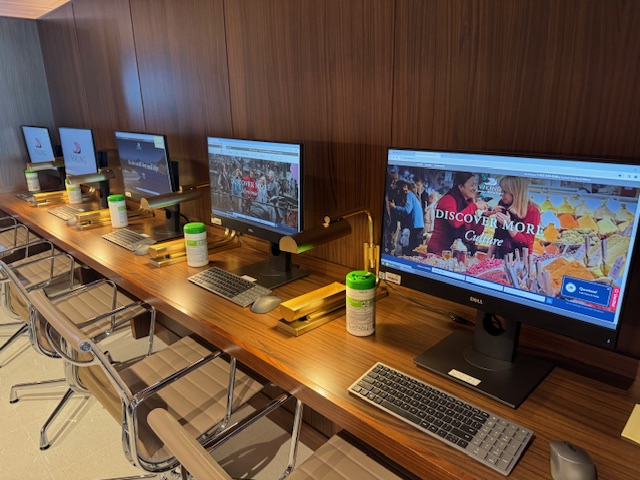
Our primary means of communication with home has been via the internet. Shipboard WIFI is actually better than we expected. There are times that the internet has been slow, but I haven’t found a real pattern. I think there are at least three factors effecting internet services. First is the number of people trying to access the internet at any given time, there’s only so much bandwidth available; second where one is on the ship relative to the WIFI antennas; and third is the position of the ship relative to the satellites carrying the internet service. There is one other variable that does not change for each of us and that’s the device we’re using. We both have iPhones, mine is a 15 and Kully’s is a 14, sometimes Kully’s seems to perform better and other times mine seems to be doing better. I do most of the blogging on a Microsoft based laptop and its performance will sometimes differ from the phones. I won’t say that any one is better than the other, all of our devices have worked well on the ship.
Email and texting is our primary form of communication. We use the same email service and settings that we us at home. While on the ship the phones stay in airplane mode and all in and out bound communication is via WIFI.
For telephone service while on board we rely on WIFI calling, for the most part normal voice phone calls have been fine. There have been a few occasions where the calls have been cut off, but again, for the most part it has worked fine. Video calls have been spotty. We have been able to Face Time occasionally, but it tends to cut in and out. Some friends are using WhatsApp, and they are having the same issues with video calls.
Speaking of WhatsApp, many of the people we’ve talked to are using WhatsApp to both communicate with home, but also to set up group communication onboard the ship. WhatsApp is a good way to do video calling across different cell phone types e.g. between an iPhone and Android. Facetime only works between iPhones/iPads. It is also a great platform for group communication, works similar to a group text. You can also use WhatsApp to set up a family or friends’ group for sharing your trip photos and travel journals like some do on Facebook, but in a private more secure format.
There are many options for Cell service when off the ship. Verizon is our cell phone provider, and both phones are locked, so we’re forced to use Verizon International Plans for cell service off the ship. Verizon offers two options for international service. The first is an unlimited plan that allows calling, texting and data for roughly $100 per month. The second option is a pay as you go plan that only charges you if you use the phone and the cost for that is $5 per day. We have the unlimited plan on one phone, and we have the other set for pay as you go. We only use the pay as you go phone if we become separated. This may or may not work for you, but it is working very well for us. Other providers have different plans and options, so I recommend you contact your provider to figure out what will work best for you.
Other options. We’ve had conversations with many other people onboard regarding cell phone options and have heard many different ideas. One option that I would love to use are “eSims”, but my phone won’t allow it because I’m still under contract to Verizon and the phone is locked. My depth of knowledge on eSims is not very deep, but I will tell you what I do know and suggest you do your own research to determine if an eSim would work for you. All of our phones have a Sim card, it is an integrated circuit intended to securely store a mobile subscribers identity number and related keys which are used to identify and authenticate subscribers on a cell phone and the cell phone system. There are companies that sell eSims that can be added to you phone to allow access to their cell system or multiple cell systems with your phone without having to pay additional roaming fees. Some allow just data use, some just voice and some allow both. In order to use eSims you have to determine if your phone will allow you to use them. You can find instructions on how to determine if you can load eSims for your individual phone by doing a google search e.g. google “how to determine if I can load eSims on an iPhone XX or Samsung XX”; or contact your cell phone provider. The cell phone provider doesn’t sell the eSims, but they can tell you if your phone is locked.
We recommend that you take some time prior to your trip to research the various options available to you. Happy travels!
“The world is a book, and those who don’t travel read only a page.” St. Augustine
 Don & Kully's World Cruise on Viking Neptune
Leave a comment